


Courtside Countdown
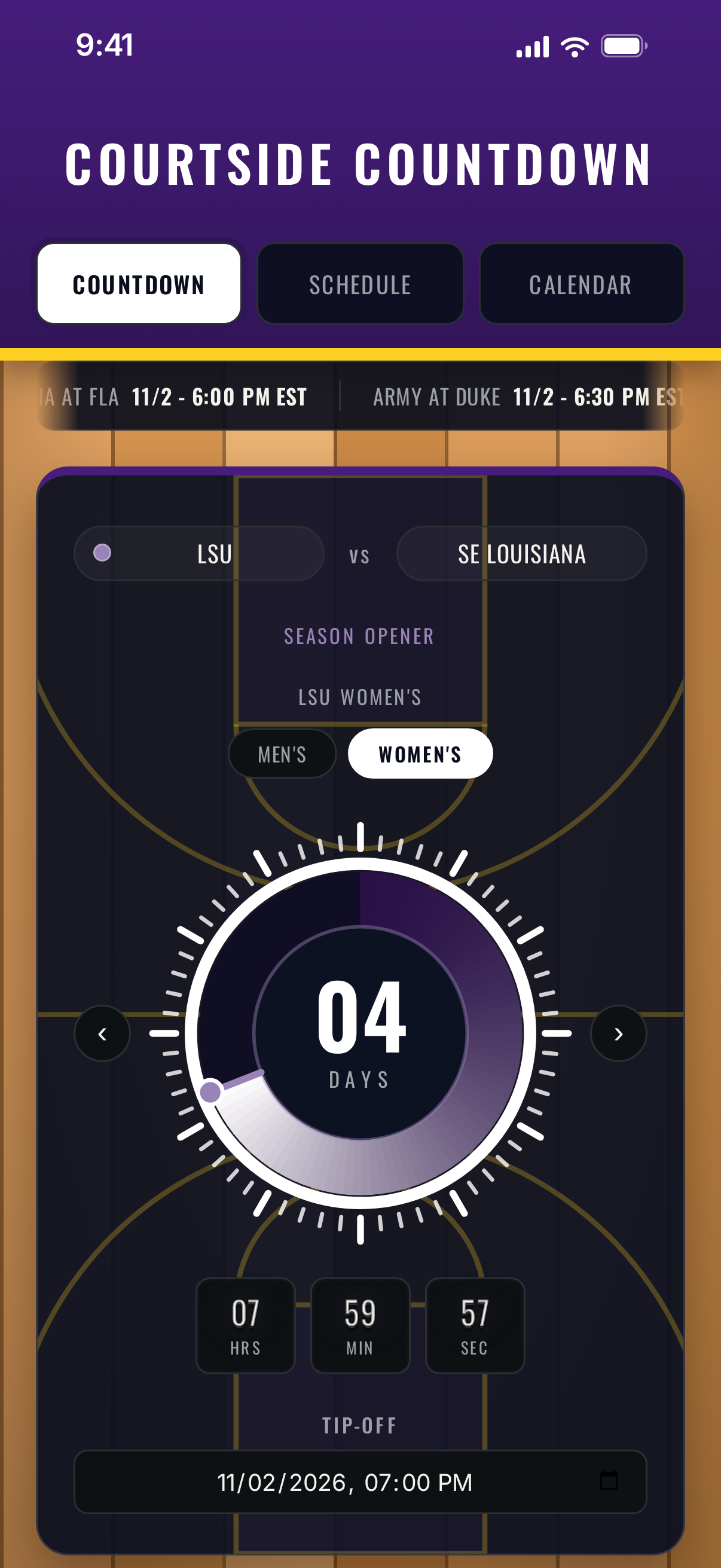
Courtside Countdown counts down to your team's next game, men's or women's, with a dial that glows in your team's colors. 64 college programs come preloaded with real 2026-27 schedules, so you pick a team, tap Load, and you're set.
Download on the App Store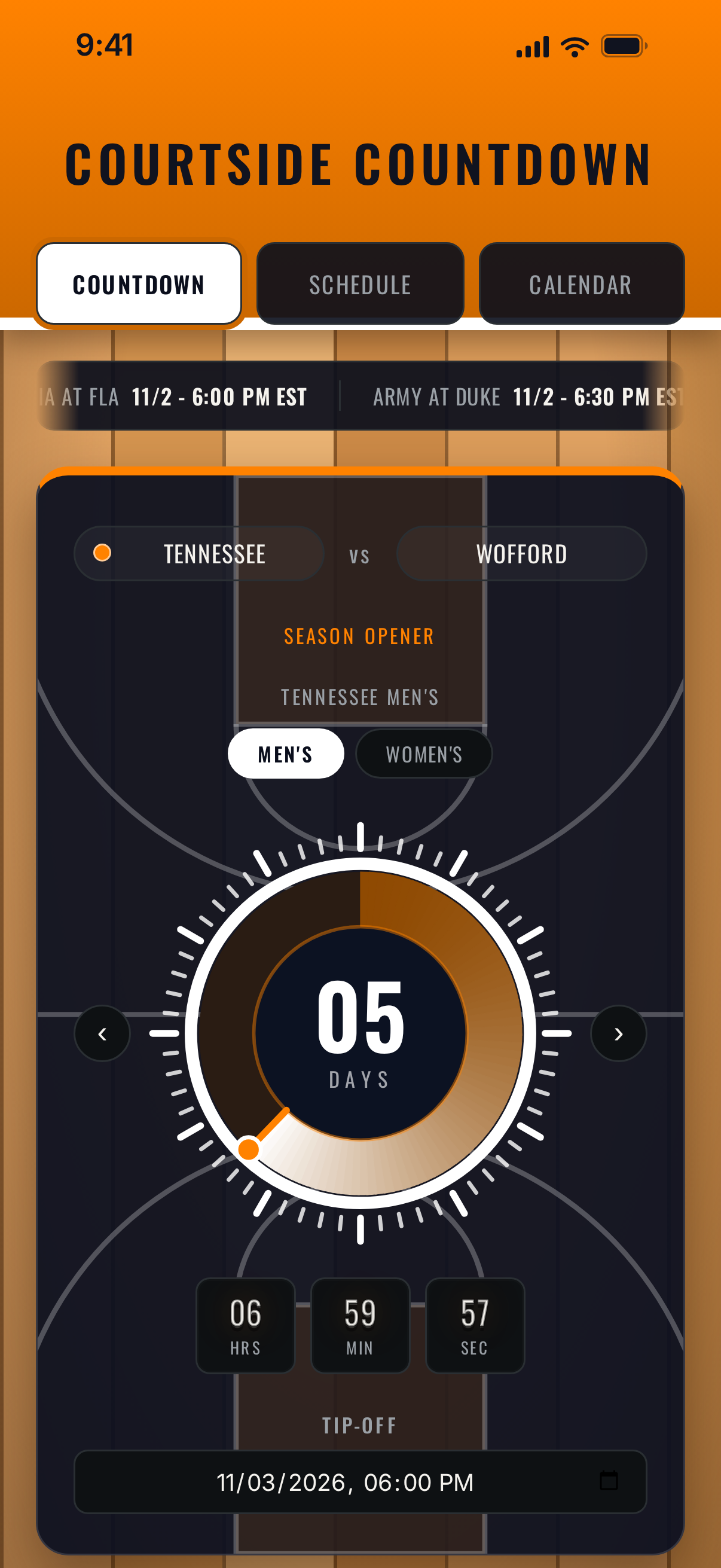
See it in action
A look inside the actual app, from the countdown dial to the season calendar.
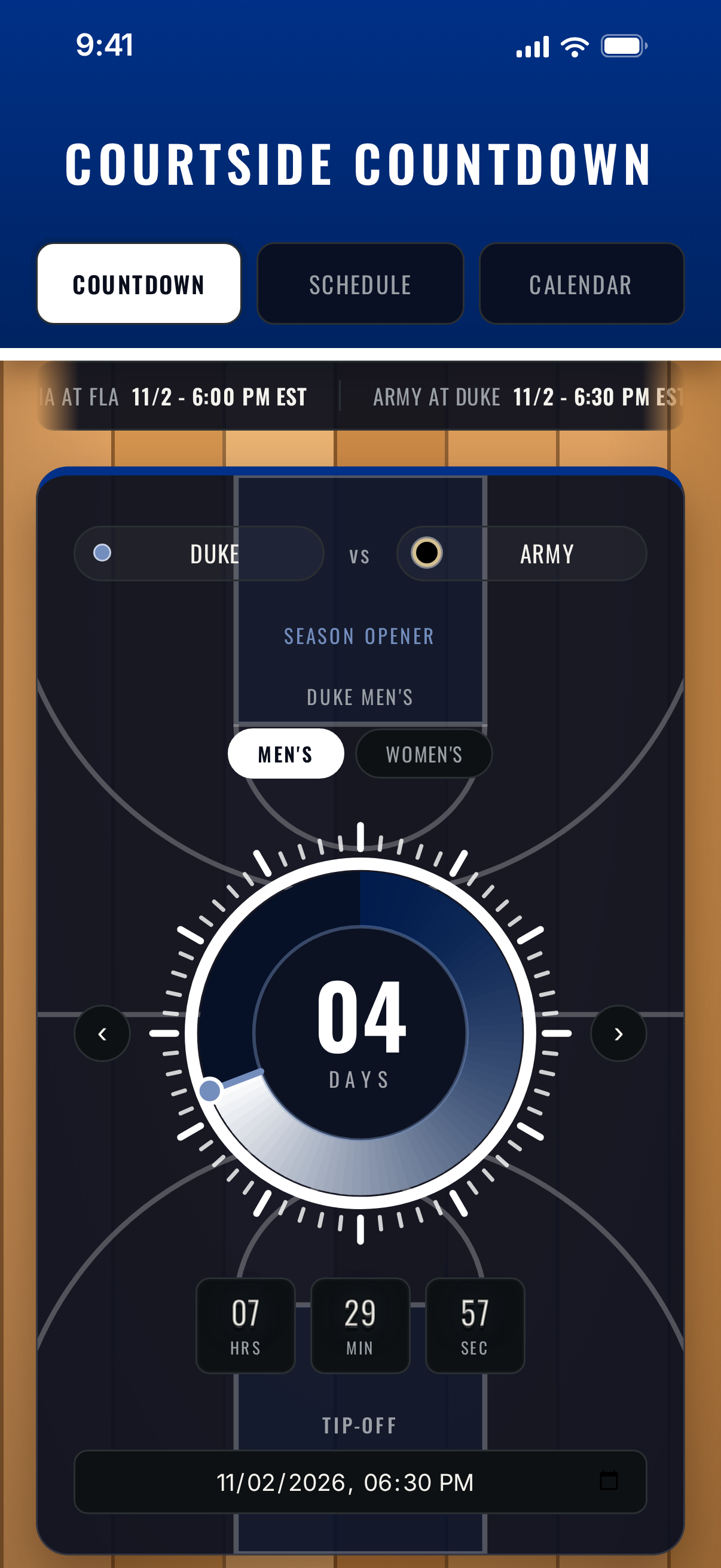
Pick a Team, Tap Load
Choose Men's or Women's, pick a team, and tap Load. The whole 2026-27 schedule fills in: opponents, home, away, and neutral-site games, holiday tournaments, and tip-off times.
A Countdown You Can See
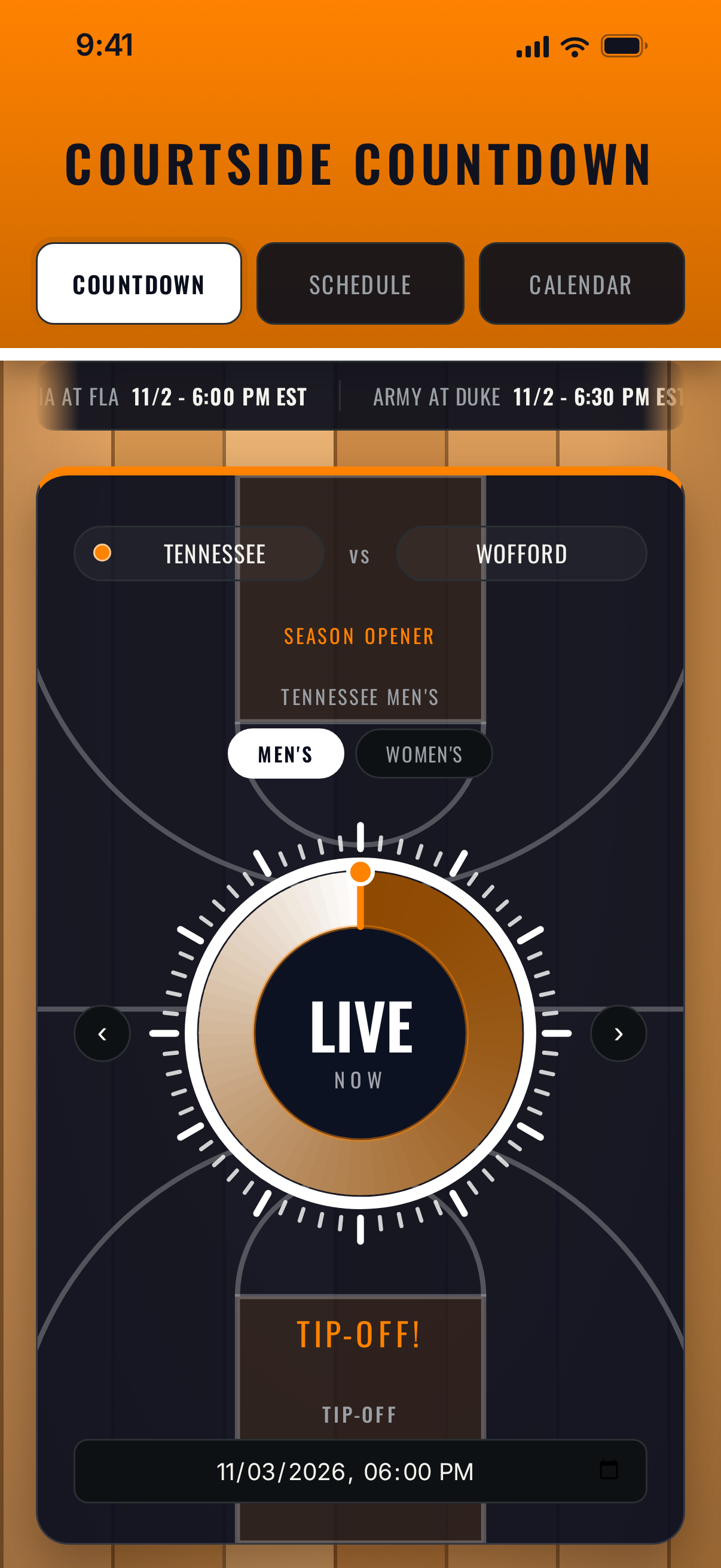
A dial fills as tip-off approaches, with days, hours, minutes, and seconds. When the game starts, the dial turns to LIVE and stays that way for the length of a game, then moves on to the next one by itself. Your team's colors run through the whole screen.
Both Teams, One Tap
Flip between a school's men's and women's lists with one tap, or follow as many teams as you like. Games that happen on the same day show up together.
Your Time Zone, Automatically
Every tip-off is shown in your phone's own time zone. A 6:00 PM Eastern game reads 3:00 PM on the West Coast.
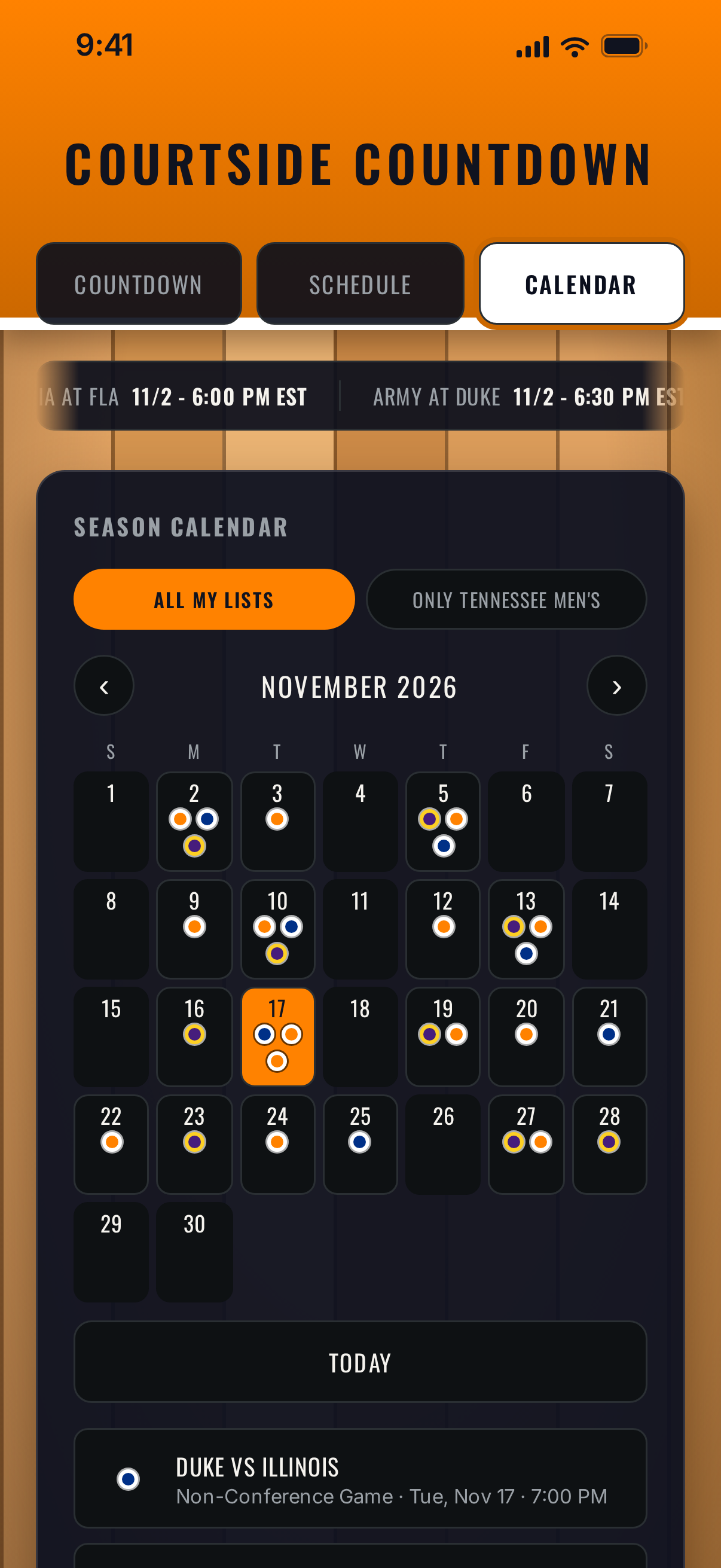
Season Calendar
See every game from all your lists on one month view, with a dot in each team's colors. Tap a day to see who's playing and when.
Add to Calendar
One tap adds your team's confirmed games to your iPhone calendar. Games still waiting on a time are left out until it's announced, and tapping again later adds only the new ones, so nothing doubles up. It uses Add Events Only permission, so the app can add games but can't read anything in your calendar.
Times That Keep Up
Many tip-off times aren't announced until the season is underway. Games without a time show their date and Time TBD. When new times come out, an Update Now banner brings them in, and any tournament or postseason games you've added yourself are kept.
Made Yours
Star a favorite team and open it from the Shortcuts app. Add, edit, or remove games, including tournament and neutral-site games. Back up a schedule to Files and bring it back any time. A live scores ticker runs across the top.
Private by Design
No account, no ads, no tracking. Your lists are saved on your device, and only the live scores ticker reaches the internet.
Also on Mac and Apple Vision Pro
Courtside Countdown also runs on Apple silicon Macs and Apple Vision Pro as an iPhone app, in a phone-sized window.
Schedules and times come from public sources and can change, so check your team's official site before you head out. Courtside Countdown is an independent app and is not affiliated with or endorsed by any college, university, athletic conference, or governing body. Team colors are fan-made color combinations only; no logos or marks are used.

Apps from On the Hunt for Fun!
On the Hunt for Fun! is a travel YouTube channel. These apps grew out of the same restlessness: a training log, a countdown that felt fun to look at, a map I could share with the people I travel with. Happy to hear what you think.