



Waypoints
Every trip starts with a list: a restaurant you don't want to miss, a coffee shop a friend swore by, a hotel you're still deciding on. Waypoints keeps that scattered list in one retro-styled travel log, grouped by city and always with you. It's the place where "we should go there" turns into "we did."
Download on the App Store
See it in action
A look inside the actual app, from saving a place to seeing a whole city on the map.
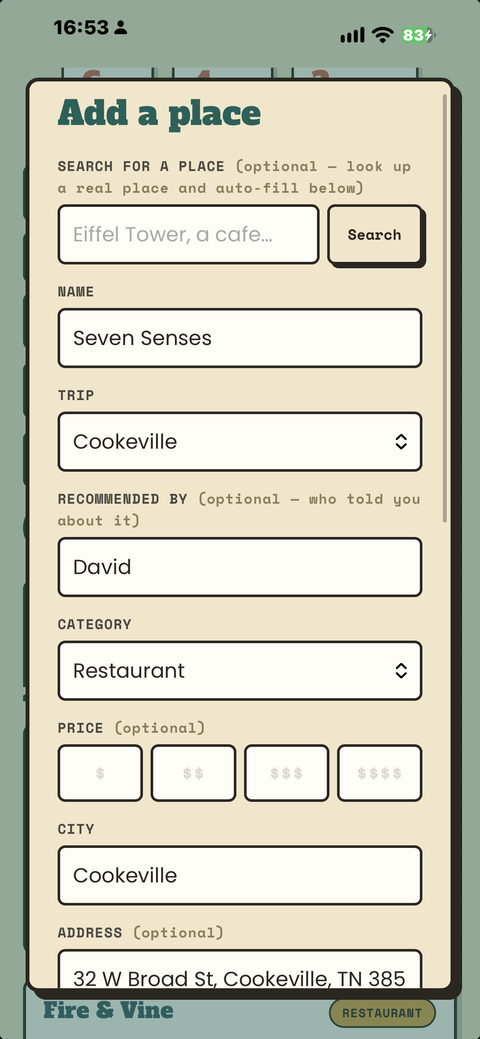
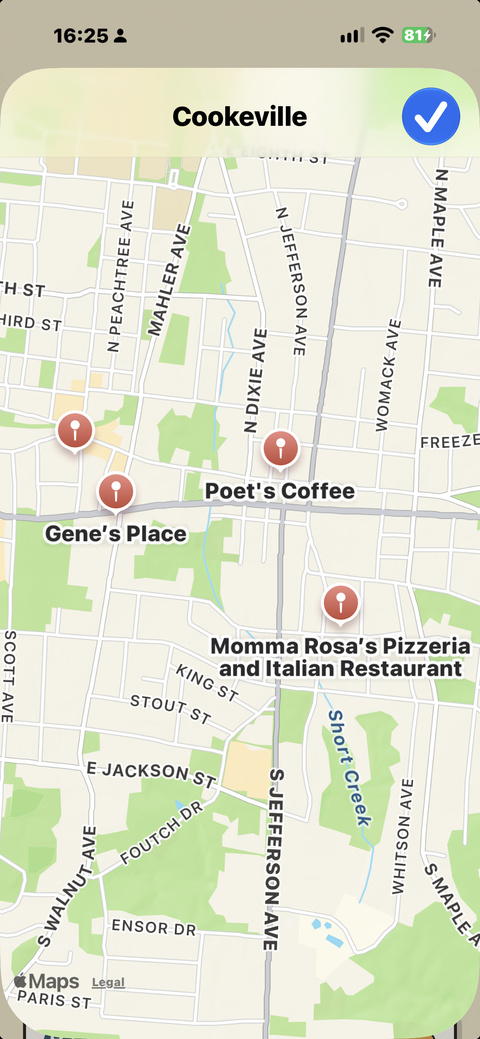
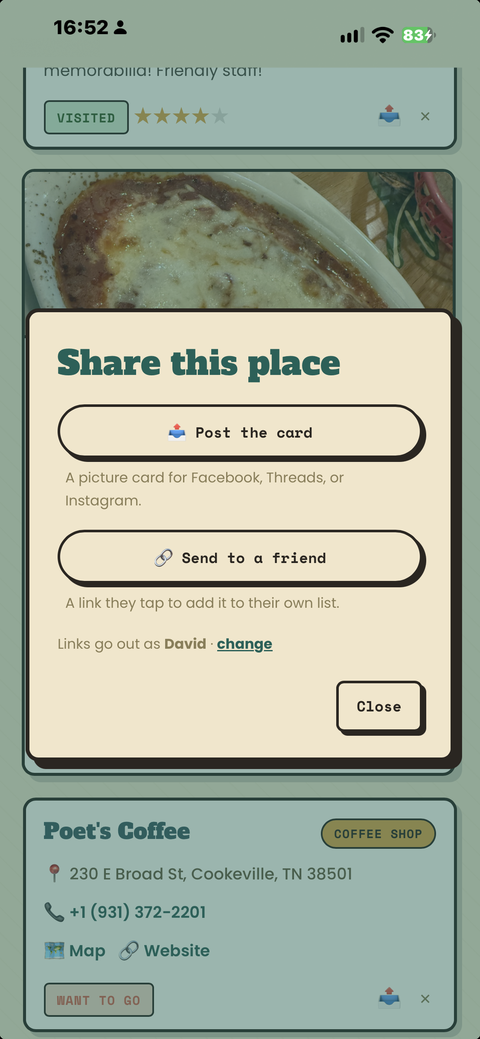
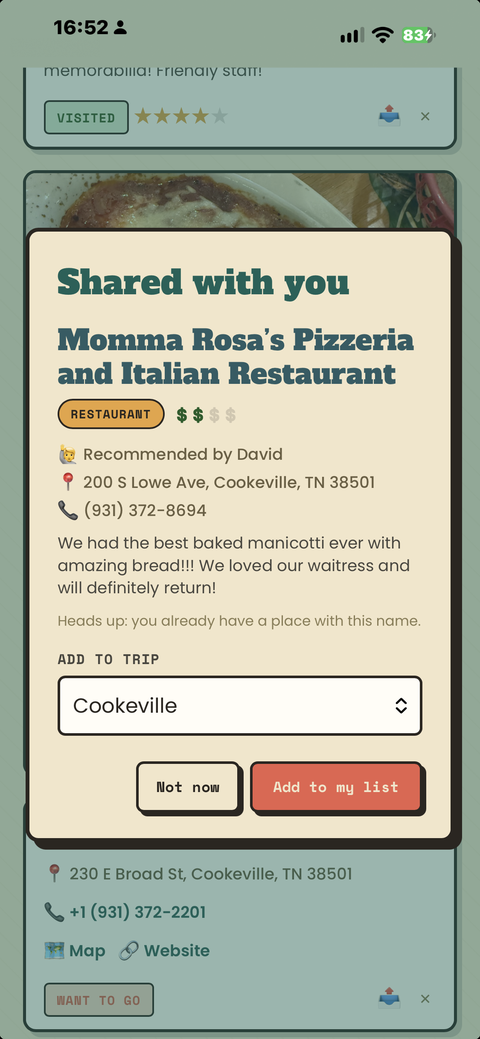
Made for iPhone Duo
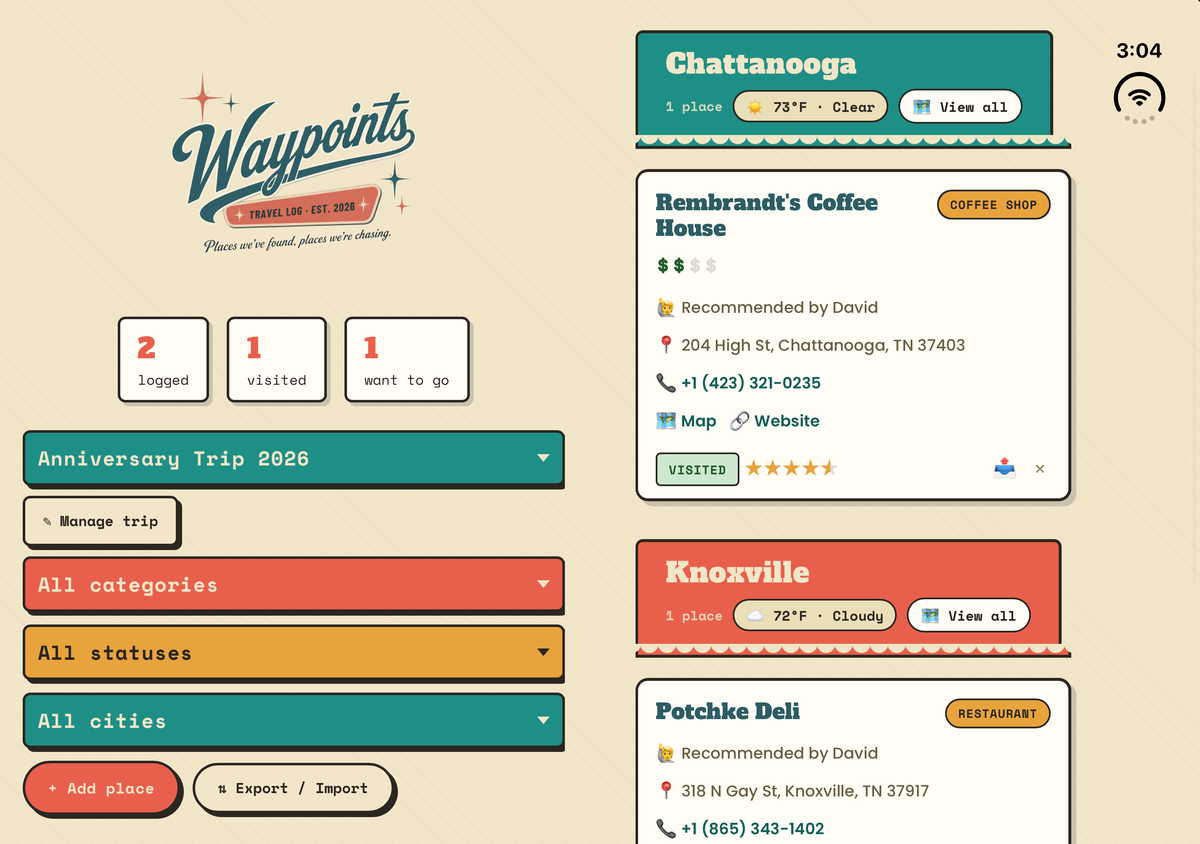
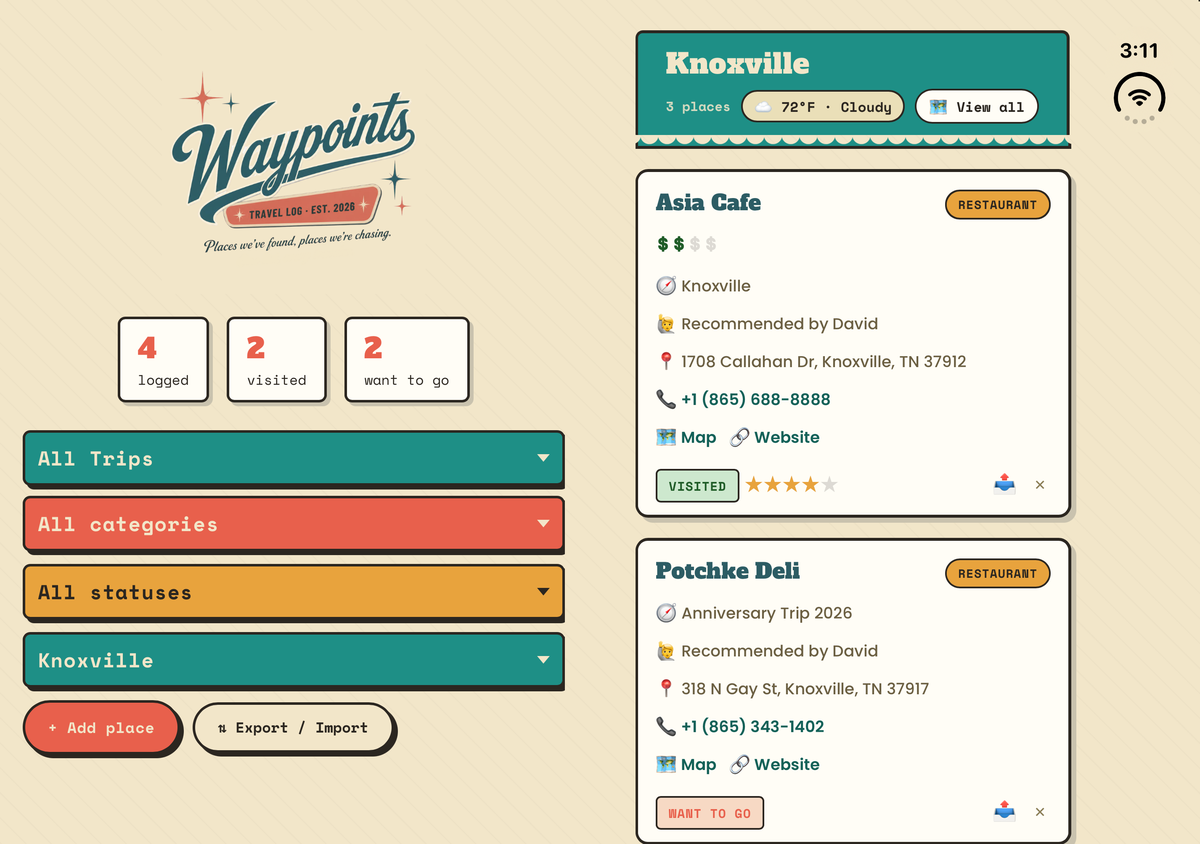
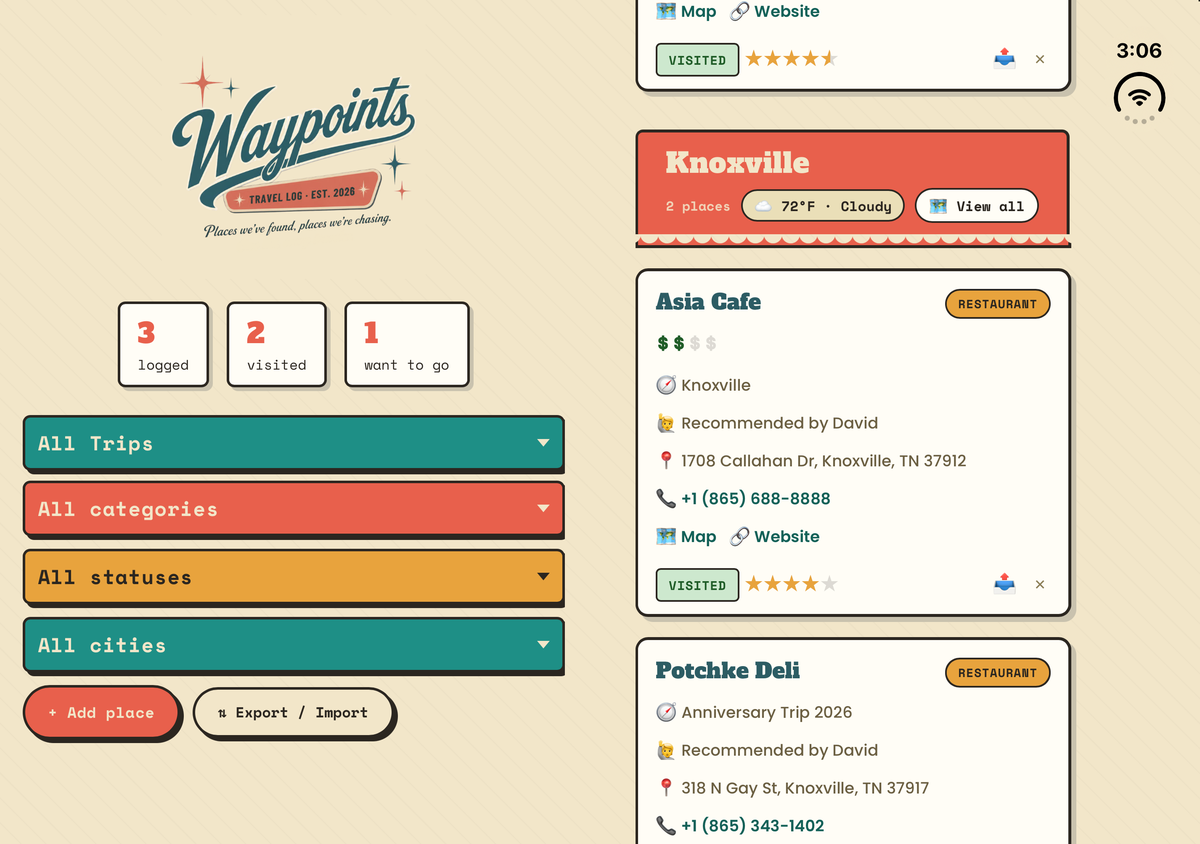
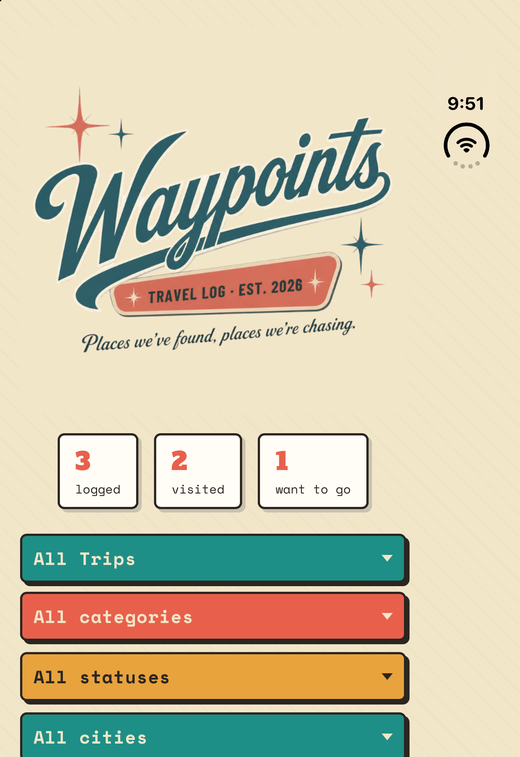
Unfold it and hold it wide, and the list splits in two: the logo and filters on one side of the fold, your places on the other. Each side scrolls on its own, and the places run all the way to the bottom edge. On the outer display it stays a single column.
Organized By City, Automatically
Add a place and Waypoints sorts it, grouped under its own postcard-style city banner, alphabetized, with a live weather check-in from Apple Weather right on the header. Scroll city by city, or view every trip at once.
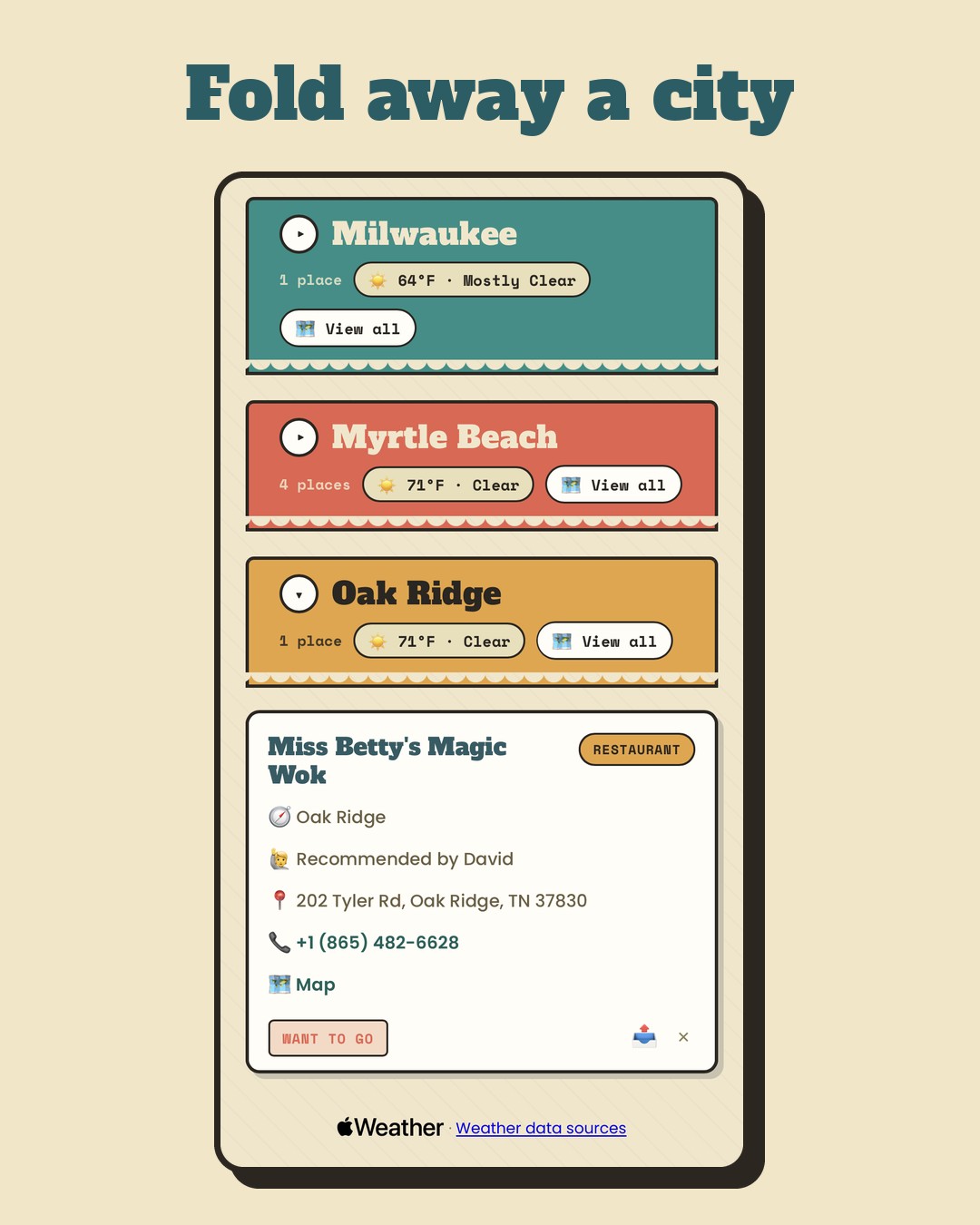
Fold Away a City
Tap any city's banner to hide or show its places, or tap Collapse all to see just your cities. Waypoints remembers which ones you folded on each device, and a city opens by itself when you add a place to it. A long list becomes a short one in a tap.
A Trip for Every Adventure
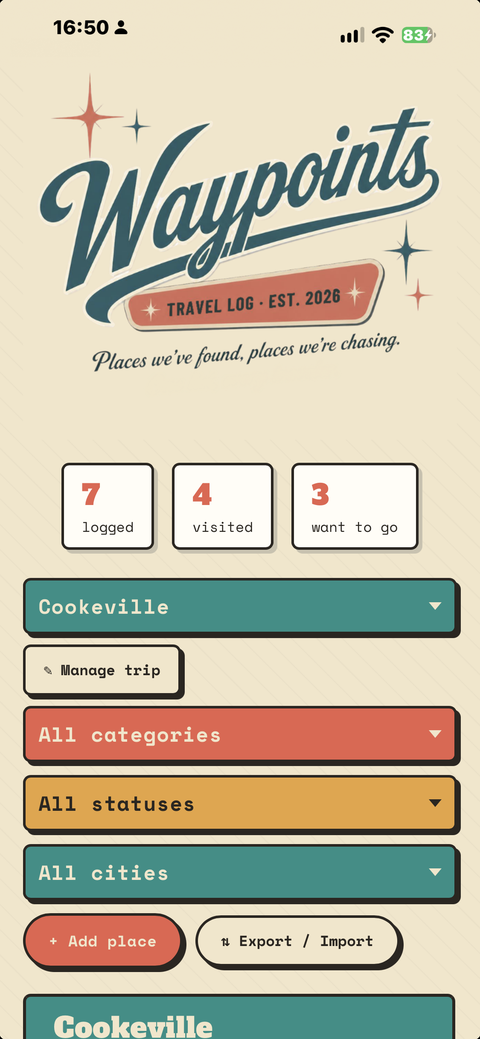
Create a trip for each getaway and keep its places together. Note who recommended each stop, and filter by trip, category, status, or city, from a weekend getaway to a once-a-year international trip.
Rate It, Price It, Remember It
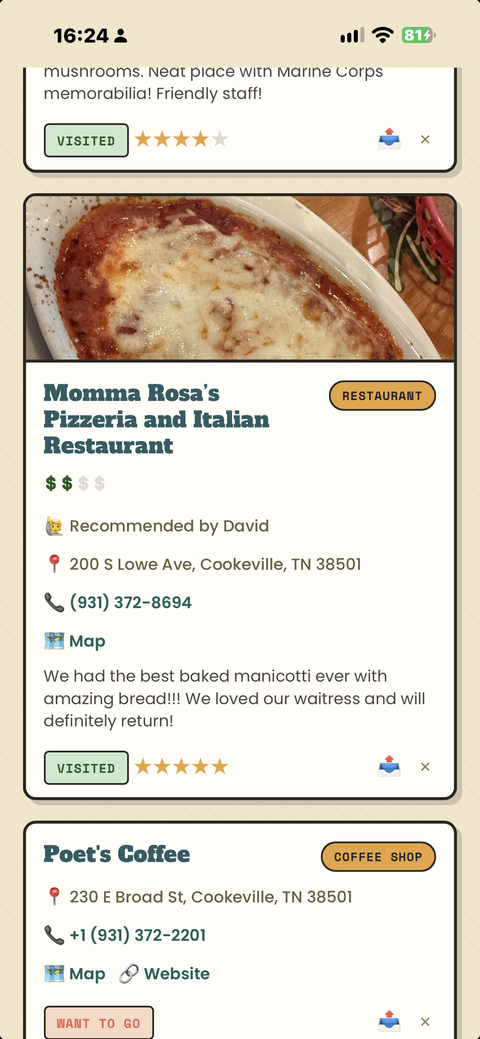
Mark a place Want to Go or Visited, rate it in half-stars, and set a price range from $ to $$$$. Add a photo and notes on what to order, what to skip, and what made it worth the stop.
Search Instead of Type
Look up a real restaurant, hotel, or landmark by name with Apple Maps, and Waypoints fills in the address, phone number, website, and city for you. No manual typing, no guessing at spelling.
See It All on the Map
Every place gets a map link that opens in Apple Maps, and every city gets its own map: every saved spot in that city, pinned and ready, so you can see the whole trip at a glance.
Share Any Find
Turn any place into a shareable postcard: photo, rating, price, and all, ready to drop into a post with one tap. Or send a place to a friend as a link. If they have Waypoints, it opens right in their app, ready to add to their own list.
On All Your Devices
Your list stays on your device and in your own private iCloud, so the same list shows up on your iPhone, your iPad, and your Apple silicon Mac. Add a place on one and it usually appears on the others within a few seconds. If iCloud can't send a change right away, Waypoints tells you why and keeps trying.
Back It Up Whenever You Want
Export your whole list, photos included, to a backup file, and import it whenever you like. Your travel log is yours to keep.
Private by Design
No account. No ads. No tracking. No analytics. Your places, photos, and notes stay with you.

Apps from On the Hunt for Fun!
On the Hunt for Fun! is a travel YouTube channel. These apps grew out of the same restlessness: a training log, a countdown that felt fun to look at, a map I could share with the people I travel with. Happy to hear what you think.