



Mod Tally
Mod Tally is a clean, mid-century modern styled timesheet built for 1099 contractors. Log a start and end time for each day worked, and the hours calculate themselves. Organize entries into collapsible pay periods, sign right on the page, and print a submission-ready timesheet whenever you need one.
Download on the App Store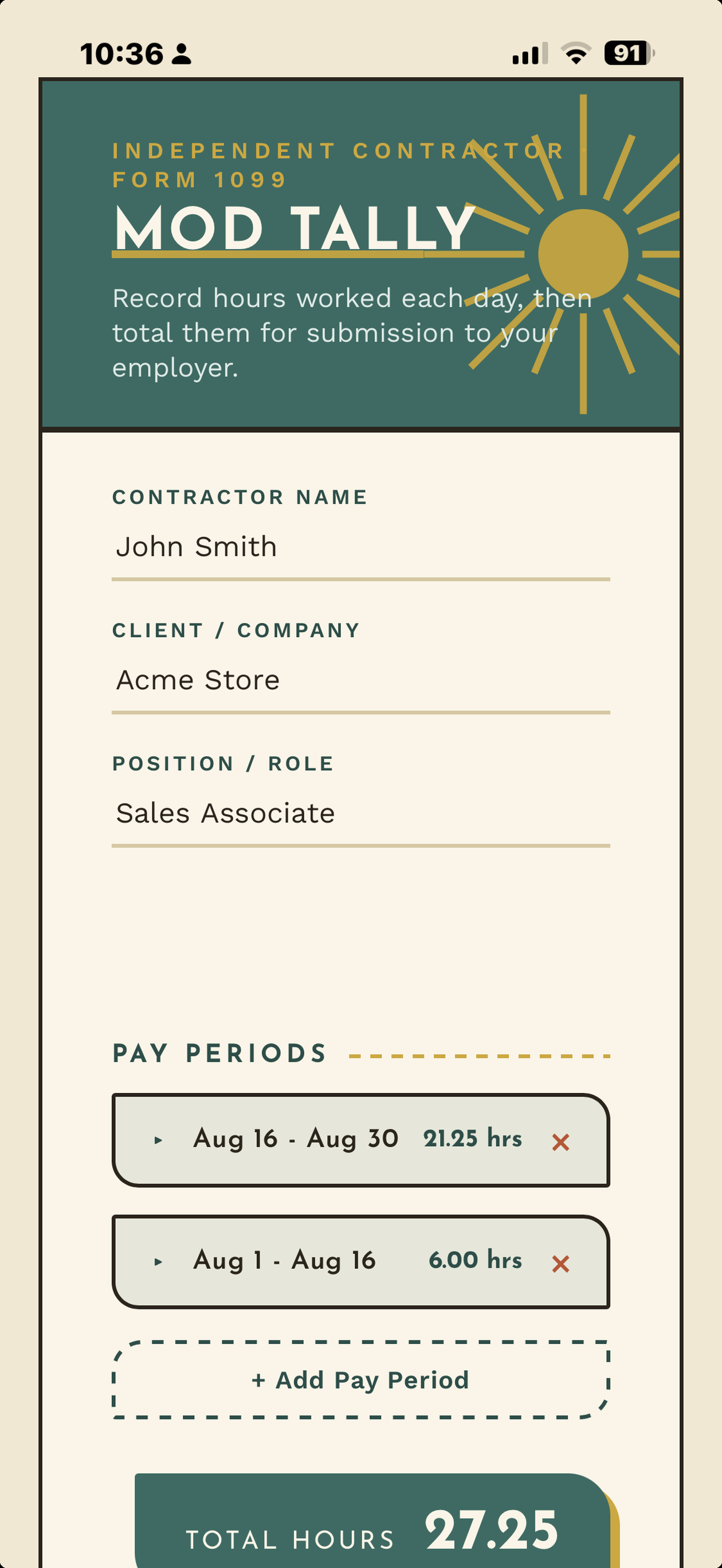
See it in action
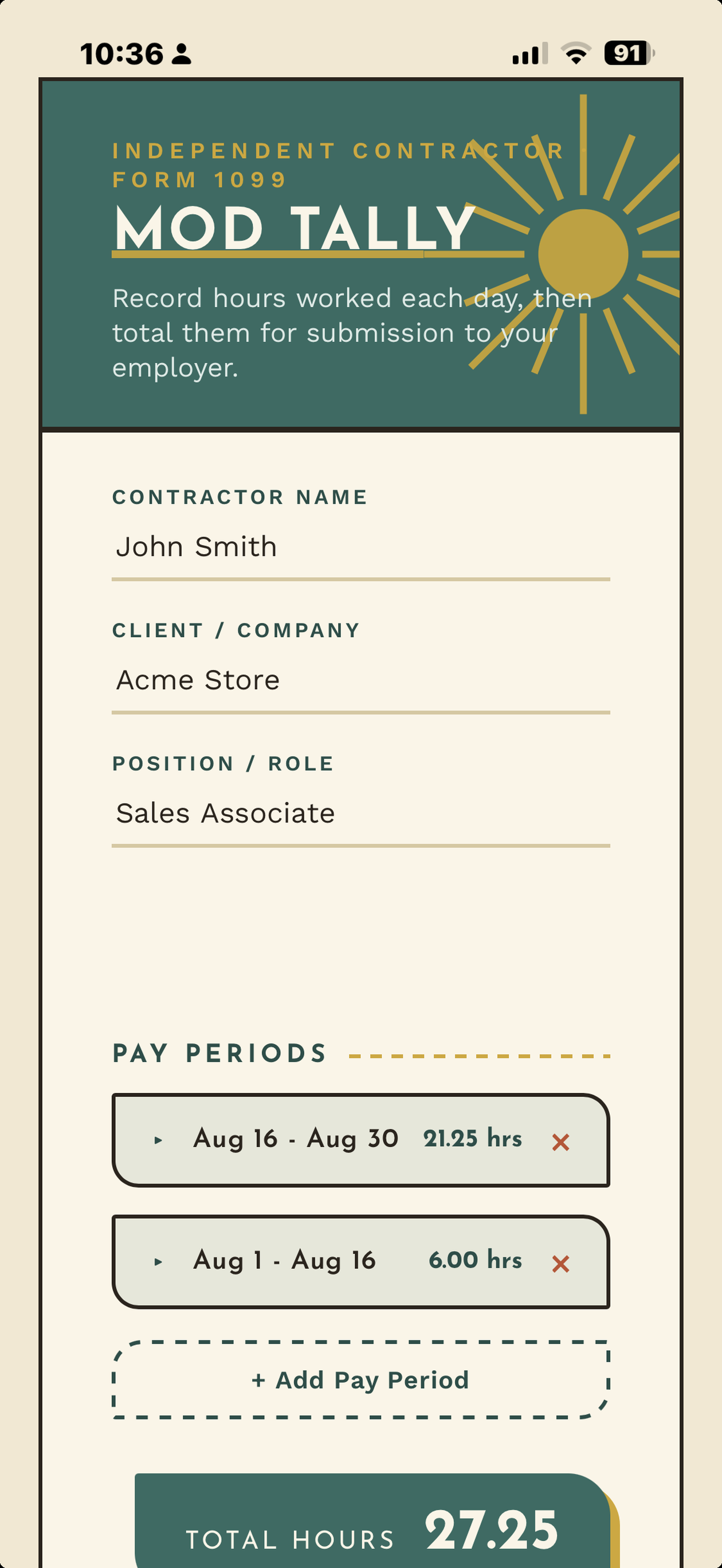
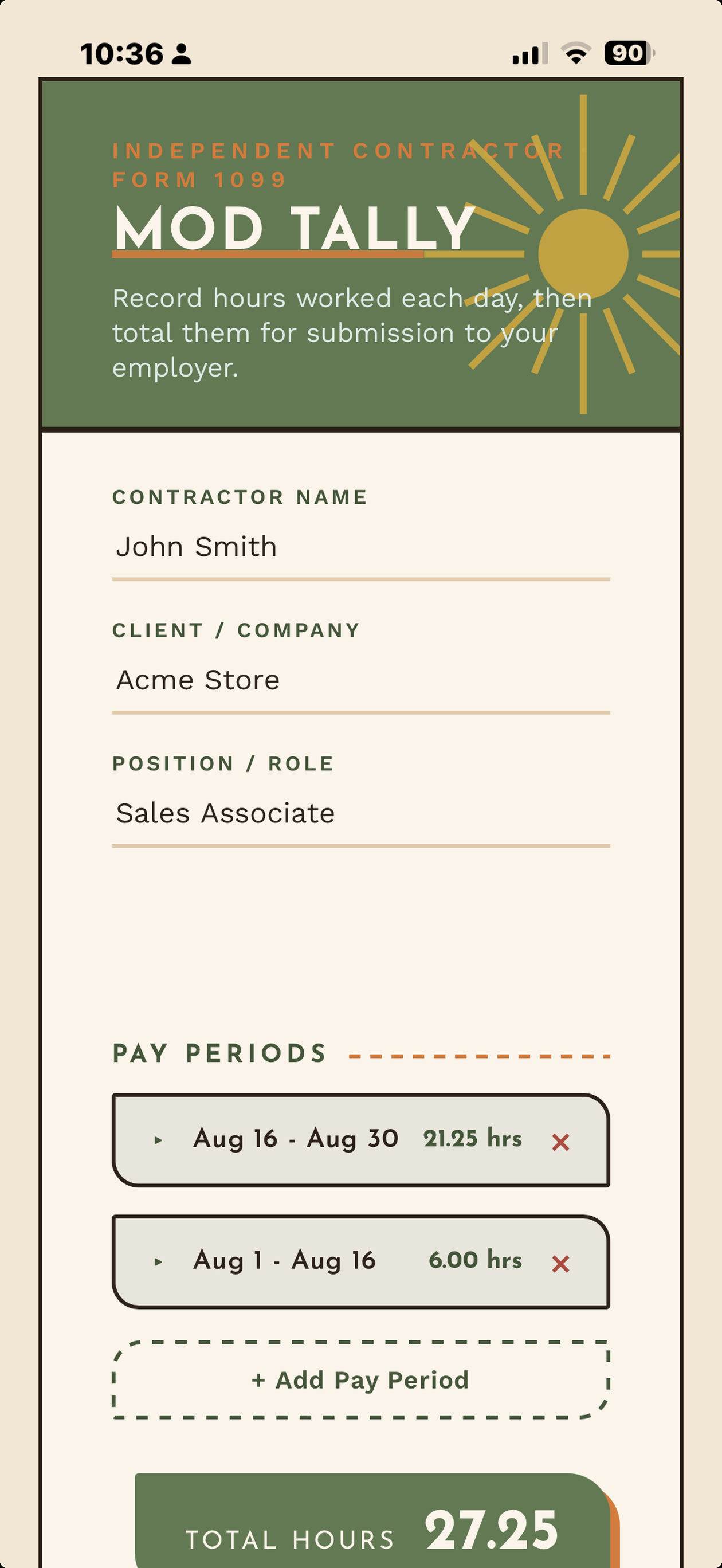
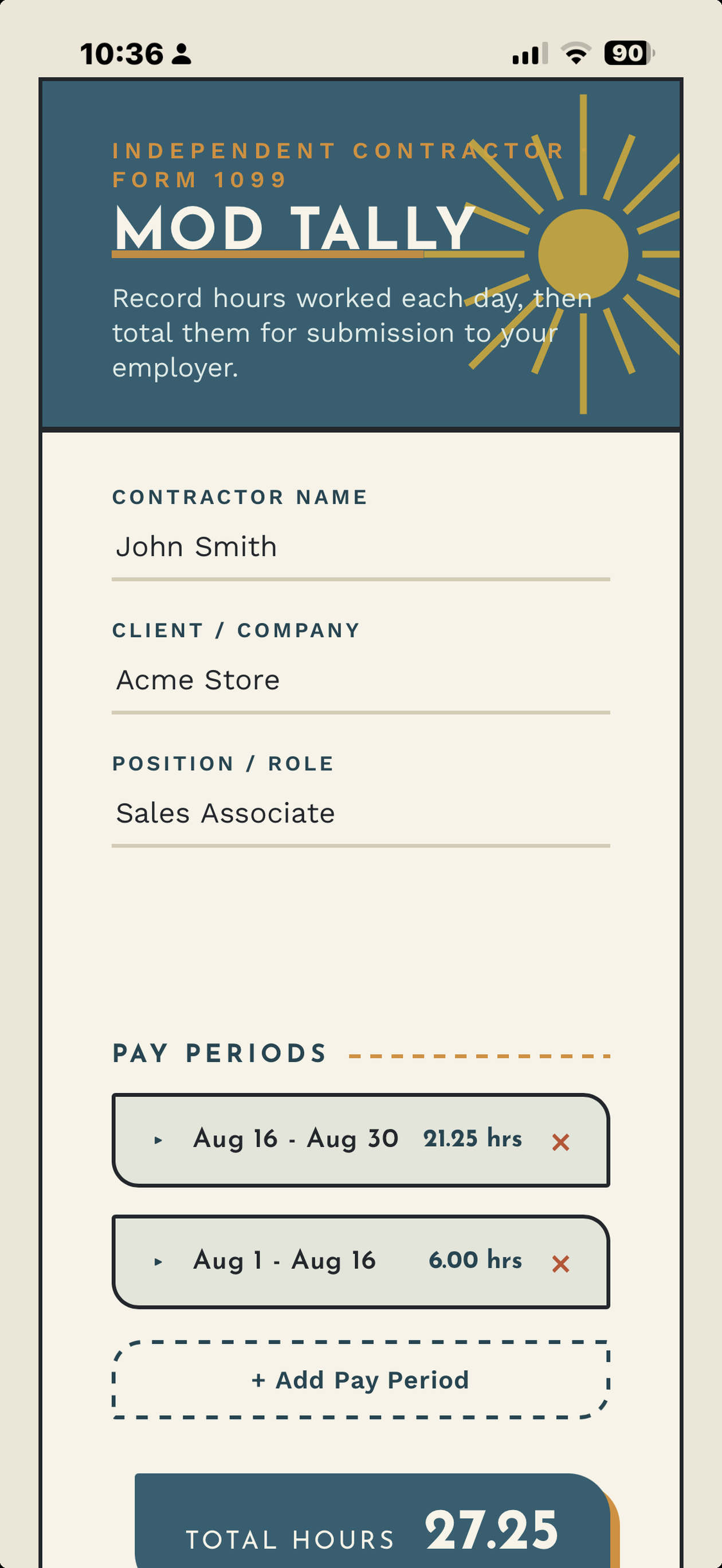
A look inside the actual app, including all four mid-century color themes.
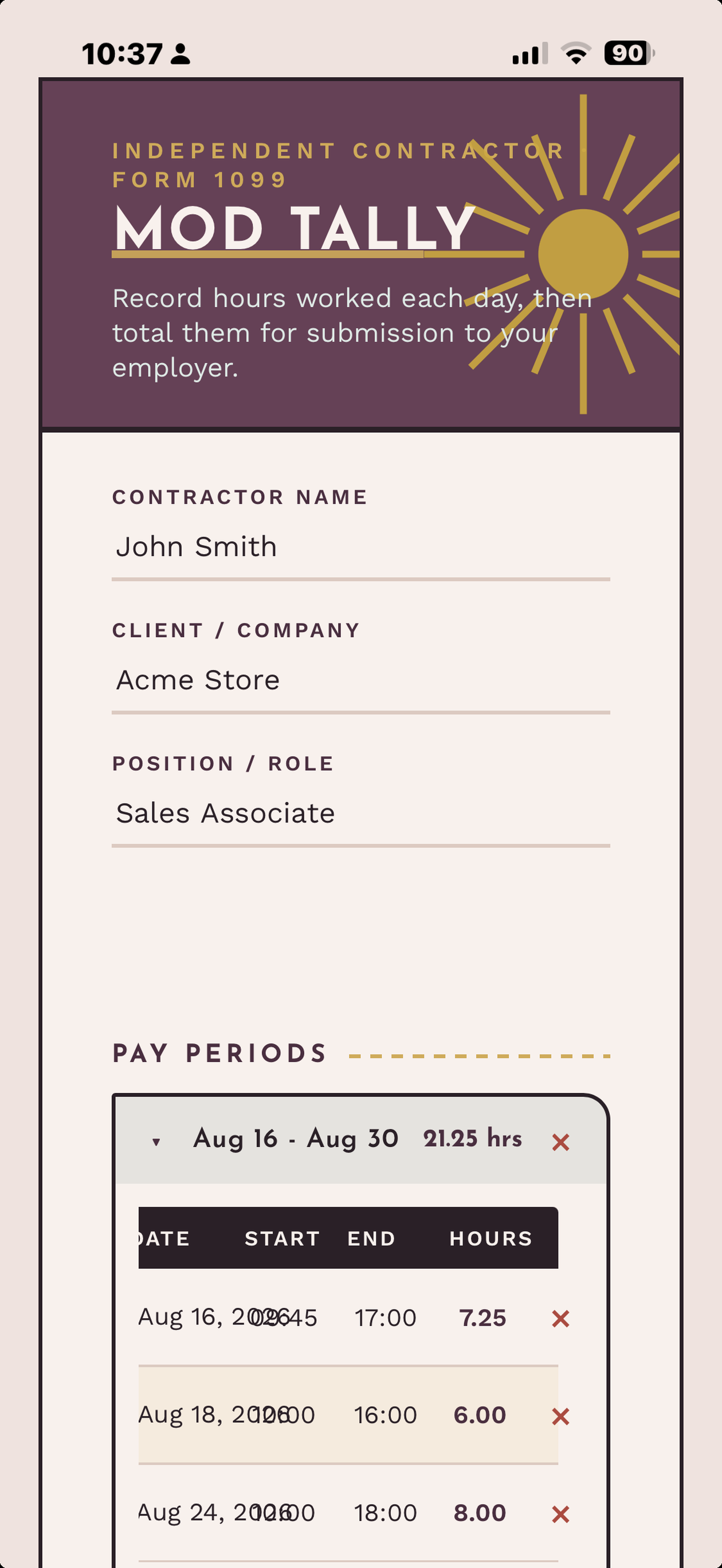
Hours, Calculated Automatically
Type a start time and an end time, and Mod Tally does the math. No adding minutes by hand, no reaching for a calculator.
Organized by Pay Period
Every pay period gets its own collapsible section with its own running subtotal, so a busy month never turns into one long, unreadable list.
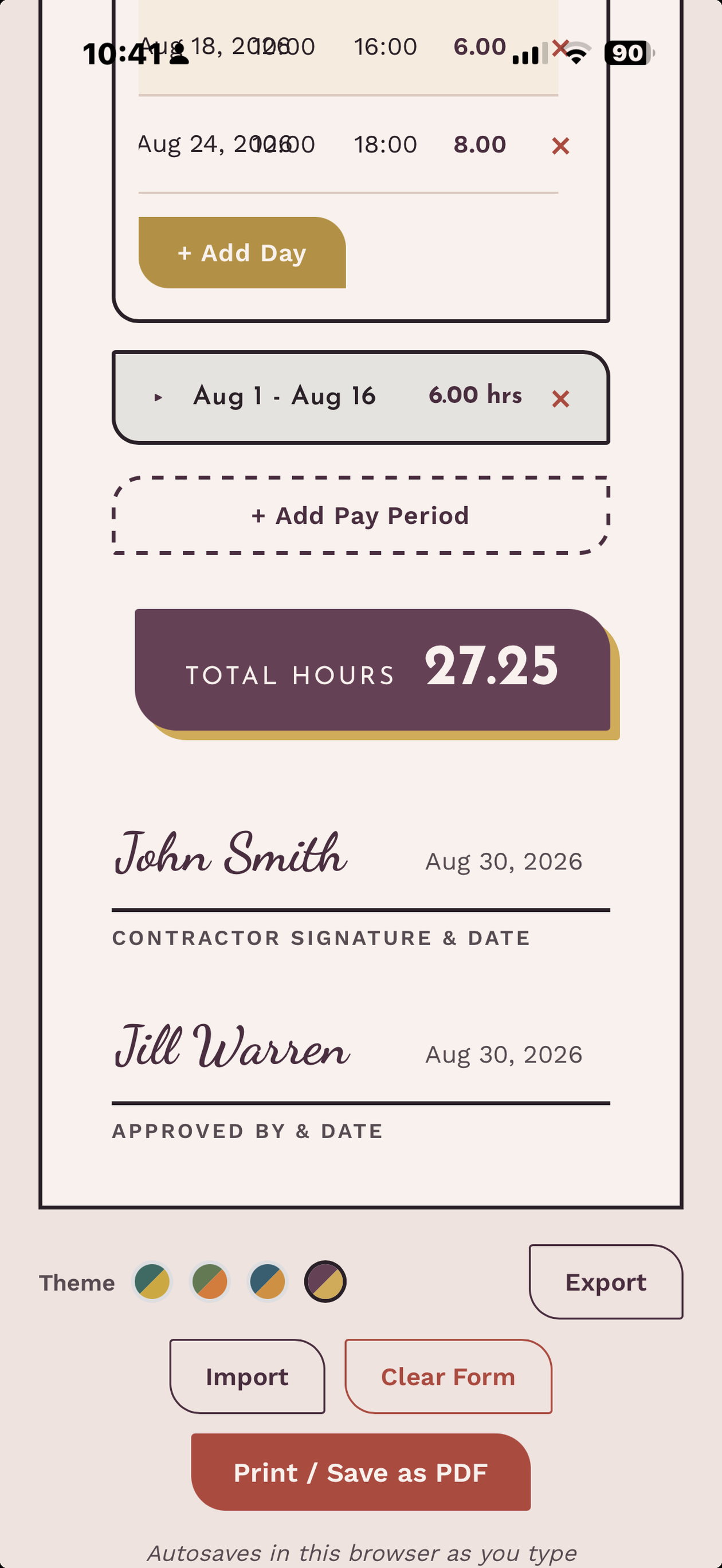
Sign Right on the Page
Type a name into the signature line and it renders in a proper signature script, right next to a date field. No printing, signing, and re-scanning required.
Print or Save as PDF
One tap turns the on-screen timesheet into a clean, submission-ready page, formatted to print correctly without cutting off the signatures or totals.
Four Mid-Century Palettes
Switch between four color themes, including the original mustard and teal, right from the timesheet itself.
Your Data, Your Device
Mod Tally saves everything locally as you type. Nothing is sent to a server. Export a backup as a file anytime, and import it back in on another device when you need it.
Also Runs on Your Mac
Mod Tally also runs on Apple silicon Macs as an iPhone app, in a phone-sized window.
How To…
Add a new pay period
Tap + Add Pay Period below your existing periods. It creates a new collapsible section with its own subtotal.
Add a day to a pay period
Open the pay period, tap + Add Day, then fill in the date, start time, and end time. The hours for that day calculate automatically.
Collapse or expand a pay period
Tap anywhere on that period's header bar. Its subtotal stays visible either way.
Remove a pay period or a single day
Tap the × next to the pay period or the row you want to remove. Mod Tally always keeps at least one pay period, so you'll need at least one left to remove another.
Switch color themes
Tap one of the four small color dots near the bottom of the screen. Your choice is remembered on that device.
Back up or move your data to another device
Tap Export to save your timesheet as a file. On another device, tap Import and choose that file to load it back in.
Print or save as PDF
Tap Print / Save as PDF. Choose "Save as PDF" in the print dialog to keep a digital copy, or print it directly.

Apps from On the Hunt for Fun!
On the Hunt for Fun! is a travel YouTube channel. These apps grew out of the same restlessness: a training log, a countdown that felt fun to look at, a map I could share with the people I travel with. Happy to hear what you think.